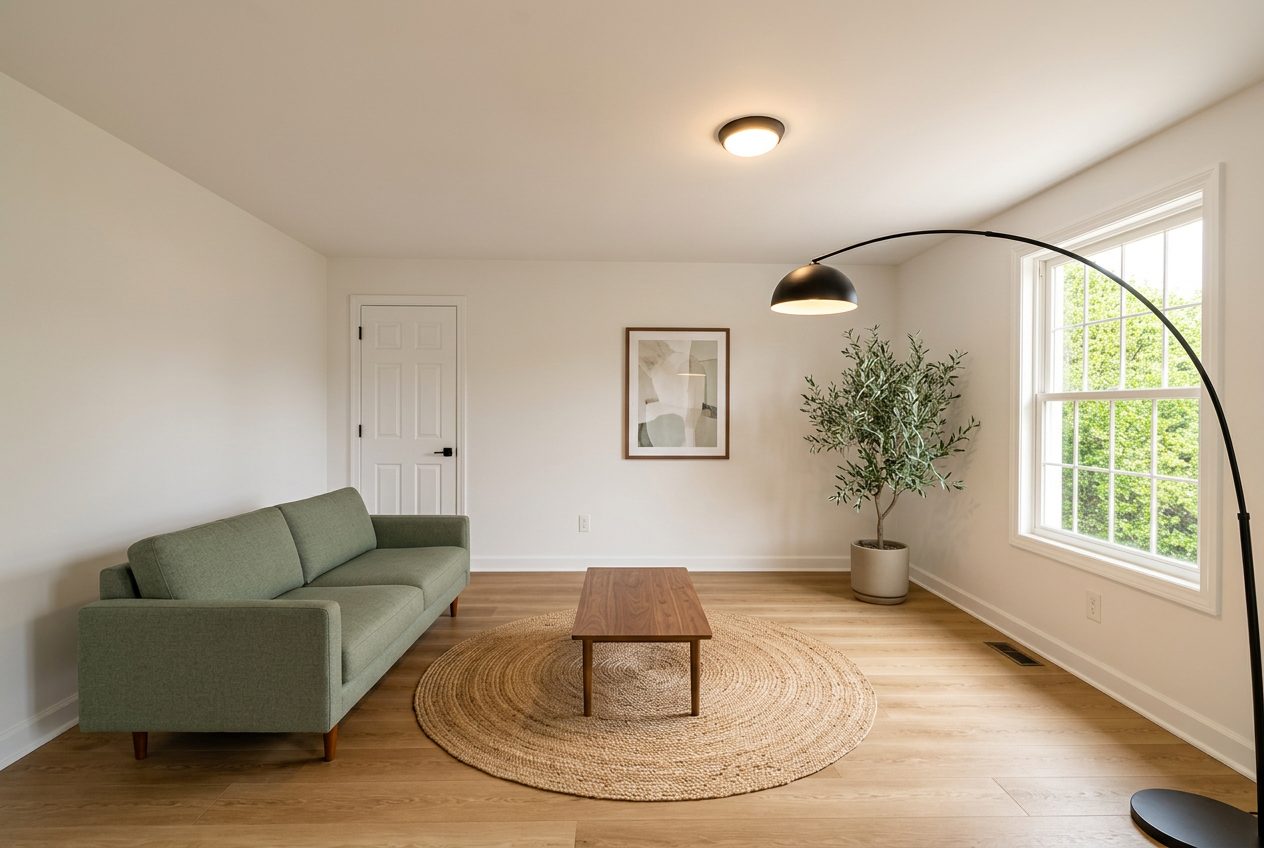
Declutter Photo

Remove Furniture And Clutter From A Photo

Clear a lived-in room back to its architecture so buyers read the space, not the current tenant's belongings.

Removing furniture and clutter from a listing photo clears personal items, everyday mess and excess furniture out of an occupied room so buyers can see the actual walls, floor and layout instead of somebody's current living situation. It works from a photo of the room as it exists, personal belongings, family photos, laundry, toys, are identified and removed, and the underlying architecture, flooring and fixed features are left in place and unchanged. The result is a clean, neutral version of the same real room, not a staged or furnished one, and it still needs a disclosure caption identifying it as edited, the same as any other altered listing photo.

This tool is aimed at occupied properties where a full staging shoot is not practical, a tenant still living there, a seller mid-move, or a rental unit between leases with the outgoing tenant's items still present. Clearing the clutter digitally avoids either delaying the listing photos until the space is empty or publishing photos crowded with someone else's belongings.

Reality LockBudget-First GenerationContractor-Ready Scope

Start Redesigning Your Space

Reality Lock keeps your walls, windows and layout exactly where they are. Only the design changes.

1Upload Your Space
2What Are You Redesigning?
3How Far Are You Going?

1 Free Design · No Credit Card · No Account

Same Space, Priced

One Photo In. A Plan Out.

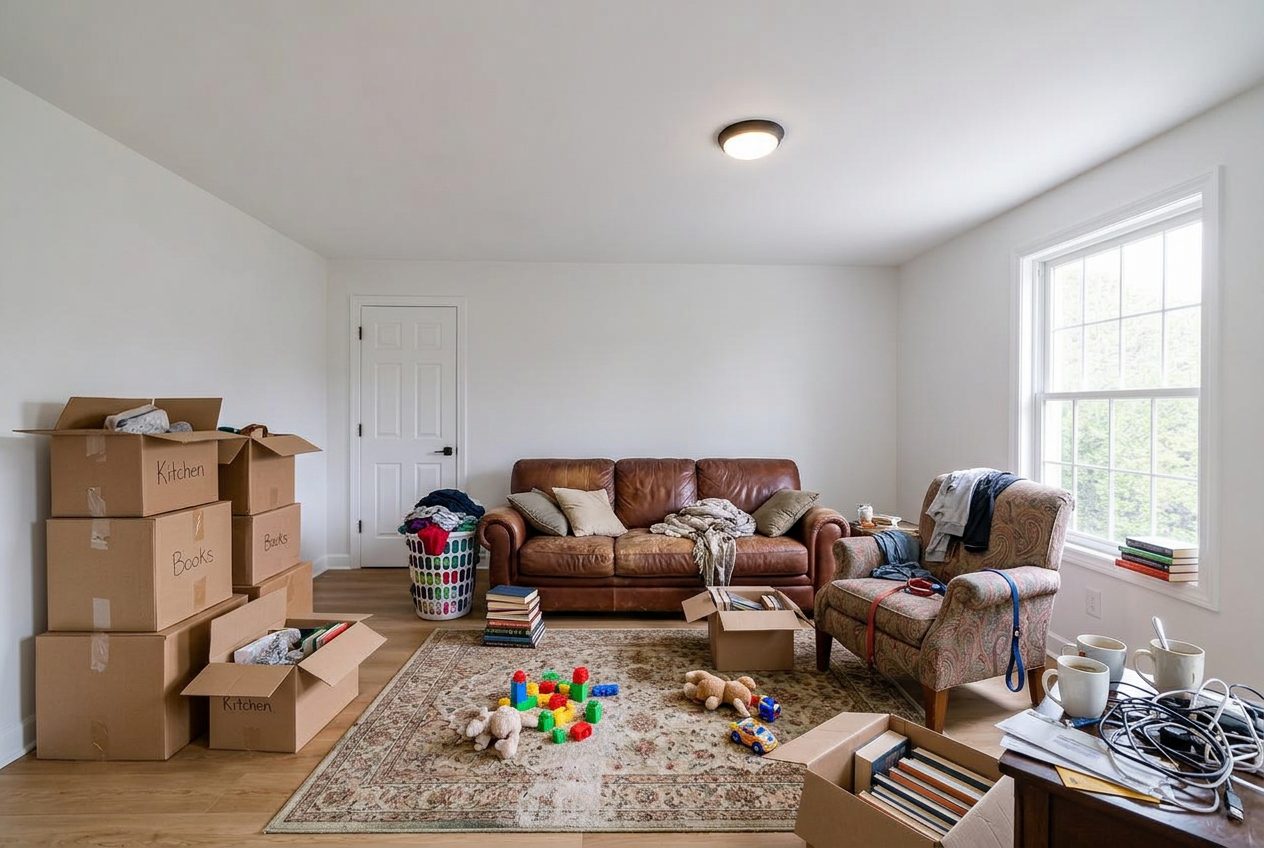
Occupied room with personal items and everyday clutter.
Before Occupied room with personal items and everyday clutter.
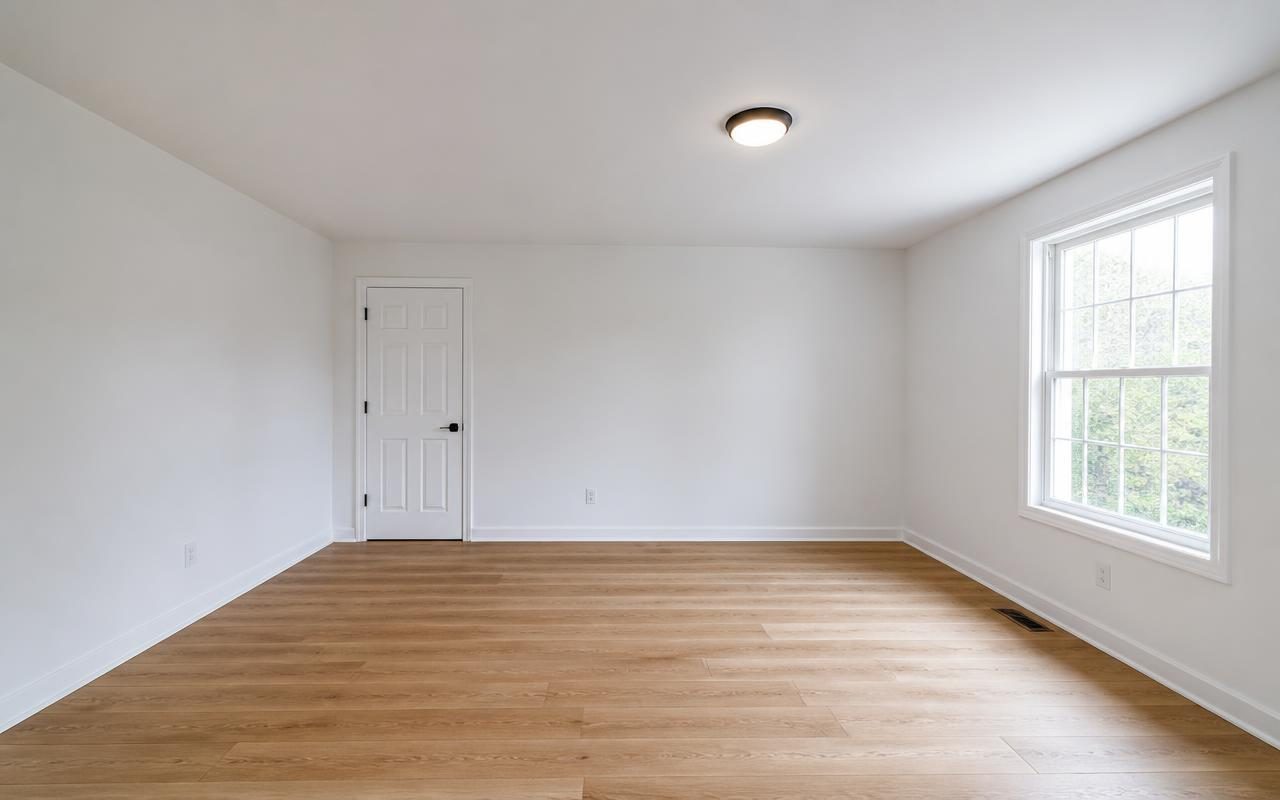
Same room decluttered, architecture and flooring unchanged.
After Same room decluttered, architecture and flooring unchanged.
How It Works

Three Steps, One Running Total.

01

Upload The Occupied Photo

Submit a photo of the room as it currently looks, clutter and all.

02

Review What Gets Removed

Personal items and excess furniture are cleared while fixed features stay untouched.

03

Check For Defects And Reflections

Confirm nothing that should stay visible, like a condition issue, has been hidden by the cleanup.

Step By Step

How To Remove Furniture And Clutter From A Photo

  1. Photograph The Occupied Room

    Take a clear, well lit photo of the room in its current occupied state.

  2. Identify Items For Removal

    Flag personal items and excess furniture, leaving fixed architectural features untouched.

  3. Check For Hidden Defects

    Look for anything an item might be covering, like damage, and keep that visible if it appears.

  4. Generate The Cleared Photo

    Produce the decluttered version of the room and check reflections and shadows for consistency.

  5. Add A Disclosure Caption

    Attach language identifying the photo as edited before adding it to a listing.

Budget And Scope

Sample Per-Photo Decluttering Cost Table

Planning range for decluttering a set of occupied room photos for a listing, high confidence because these are per-photo software costs.

Estimated Planning Range$420 to $1,060
Pricing ConfidenceHigh
Line ItemTradeQtyPlanning Range
Occupied Room PhotographyPhotography6 Rooms$150 to $300
Digital DeclutteringEditing6 Photos$60 to $180
Disclosure LabelingLabeling6 Photos$0 to $30
Reflection And Shadow CleanupEditing2 Photos$20 to $60
Reshoot AllowancePhotography1 Visit$100 to $250
Optional Virtual Staging After DeclutterStaging3 Rooms$90 to $240

Typical vendor pricing for decluttering a small occupied listing photo set. Confirm your MLS's disclosure requirement for edited photos.

Occupied Listings And Personal Items

Occupied listings are the most common reason to use a decluttering tool, since scheduling a full move out before photography is often not realistic. A tenant still living in the unit, a seller who has not finished packing, or a property manager turning a unit between leases all produce the same problem: the room's actual layout and finishes are the selling point, but the current state of the room, full of somebody's belongings, obscures them in a straight photo.

Personal items, family photos on the wall, mail on the counter, clothing on furniture, are the first thing removed, both because they clutter the visual read of the room and because leaving them in a public listing photo is a privacy concern for whoever currently lives there. Removing personal items from a listing photo is generally treated as routine cleanup rather than a disclosure-heavy alteration in most MLS frameworks, but the resulting image is still an edited photo and should carry the same disclosure language any other altered image would.

Personal Items And Privacy

Beyond clutter, there is a genuine privacy dimension to decluttering an occupied space. A photo showing a resident's mail with a visible name and address, medication on a nightstand, or children's belongings is not something that should end up in a public listing regardless of how it affects the sale, and clearing those items protects the people currently living there as much as it improves the photo. This is particularly relevant for property managers and landlords photographing occupied rental units for a new listing while a tenant is still in place.

Handled well, decluttering an occupied photo is a service to the current occupant, not just a marketing tool for the seller or agent. It lets photography happen on a schedule that works for everyone without requiring the resident to stage their own home or worry about what ends up visible to strangers browsing a listing site.

Why The Removed Items Must Not Hide A Defect

The critical rule that separates legitimate decluttering from a misrepresentation problem is that removing clutter must never remove information a buyer needs. A stack of boxes sitting in front of a water stained section of wall, a rug covering a damaged section of flooring, or furniture positioned to block a cracked window are all situations where the item being removed is also concealing a condition issue, and clearing the item without addressing what it was covering produces a photo that misrepresents the room.

The standard to apply is straightforward: decluttering should never make a room look like it is in better condition than it actually is. If a defect becomes visible once an item is cleared away, that defect should stay visible in the final photo rather than being cleaned up along with the clutter around it. A decluttered photo that happens to expose a real condition issue is doing its job correctly, and editing that issue out afterward is a different, separate problem this page does not endorse.

  • Remove personal items and excess furniture, not condition issues
  • A defect newly visible after decluttering should remain in the photo
  • Never clear an item specifically because it was hiding a problem
  • Disclose the edit regardless of how routine the cleanup feels

Reflections, Shadows, And When A Photo Cannot Be Cleaned

Reflective surfaces, mirrors, glass cabinet doors, glossy flooring, television screens, are the most technically demanding part of decluttering a photo well, because an item removed from the room but still visible in its own reflection produces an obviously wrong image, a room that looks clear in the main frame but still shows the removed clutter reflected in a mirror across from it. A careful decluttering pass accounts for reflections and shadows consistently with the objects removed, not just the direct view.

Some photos cannot be fully cleaned regardless of how carefully this is done. A room photographed at a severe angle with heavy clutter stacked floor to ceiling, a shot where the flooring or a wall is almost entirely obscured, or an image where removing everything present would require inventing what the underlying surface looks like rather than simply revealing it, are all situations where the honest answer is a reshoot rather than an edit. A decluttering tool is meant to clear away what is blocking a view of the real room, not to guess at what a room looks like when there is not enough of it visible to work from.
Questions

Answers Before You Start.

Will Decluttering Remove Damage Or Defects From My Photo?

No, and it should not. Decluttering removes personal items and excess furniture. If clearing an item exposes a real condition issue, like a stain or crack it was covering, that issue should remain visible in the final photo. Hiding a defect is a misrepresentation problem, not a decluttering result.

Do I Still Need A Disclosure Label On A Decluttered Photo?

Yes. A decluttered photo is an edited image, even though the edit is removing items rather than adding staged furniture. Most MLS frameworks expect edited images to carry disclosure language. Confirm the specific wording your MLS requires before publishing.

Can I Declutter A Room And Then Virtually Stage It?

Yes, decluttering and virtual staging are commonly used together, clearing an occupied room first and then adding staged furniture to the cleared space. Both edits should be disclosed, since the final image no longer reflects the room's actual current state.

What Happens To Reflections Of Removed Furniture?

A careful decluttering pass accounts for the same items in mirrors, glass and glossy flooring, not just the direct view of the room. Leaving a removed object visible in a reflection produces an inconsistent, obviously edited photo, so reflections and shadows need to match the cleared room.

When Should I Just Reshoot The Room Instead?

If a room is so heavily cluttered that the underlying flooring or walls are barely visible, or the photo is shot from an angle where removing everything would require guessing at what is underneath, a reshoot after some manual tidying produces a more honest result than an edit built on too little visible information.

Pricing

Pick The Plan. Keep The Number.

Annual pricing shown. One credit balance across every tool, and we meter credits, not people.

Free

$0/mo

5 credits a day, typical budget range

Start Free

Starter

$7/mo

200 credits a month, clean HD

Choose Starter
Most Popular

Pro

$10/mo

2,000 credits a month, commercial license

Choose Pro

Studio

$13/mo

4,000 credits a month, unlimited seats

Choose Studio

Clear An Occupied Room For Your Listing

Upload a photo of the room as it is now and get a decluttered version with the architecture unchanged.

Declutter My Photo