AI Virtual Staging

AI Virtual Staging For Listing Photos

Turn a vacant or awkwardly furnished room into a photo that shows buyers how the space lives, at a fraction of physical staging cost, with a disclosure label attached to the file.

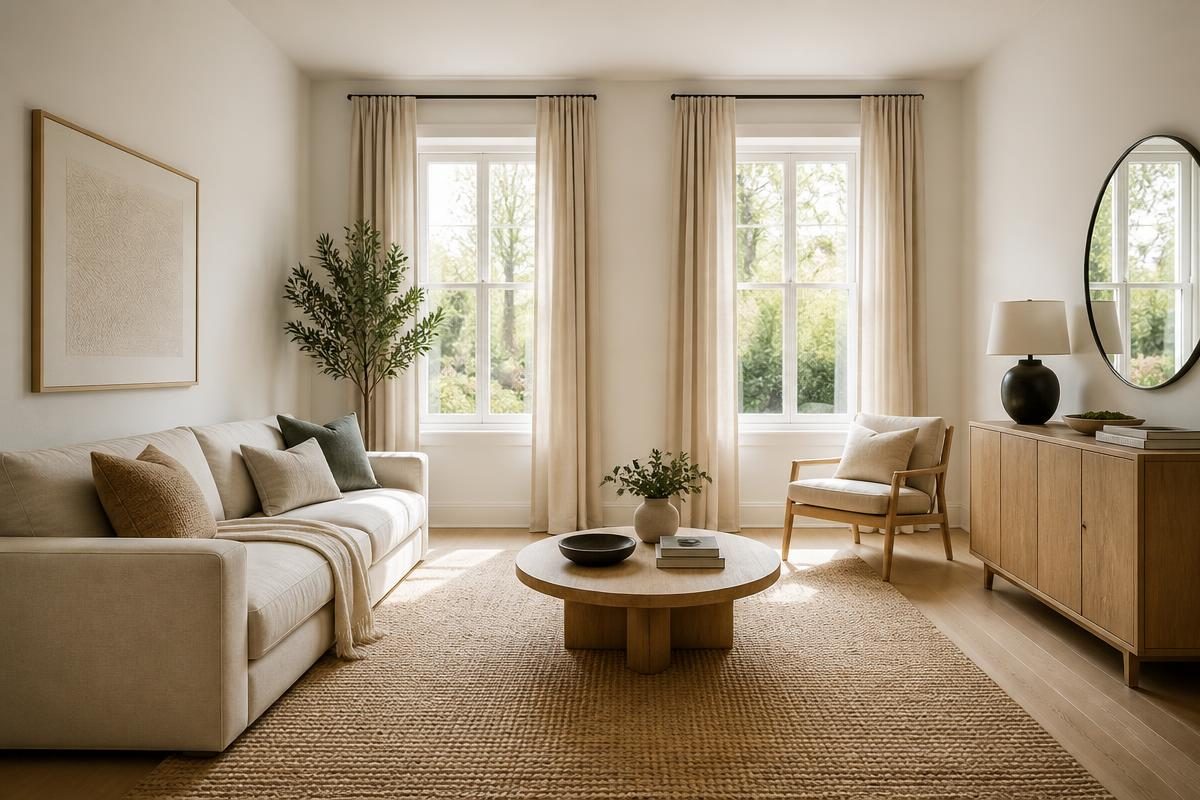
AI virtual staging replaces the empty or cluttered furniture in a listing photo with a designed room, digitally, for a per-photo cost instead of a per-month rental fee. A typical vacant living room runs somewhere in the range of $15 to $45 per staged image depending on resolution and how many revisions you need, compared to $1,500 to $3,500 a month to physically furnish the same room with rented pieces.

The photo has to carry a disclosure. Most MLS boards and state real estate commissions require a visible caption such as 'virtually staged' on any image where furniture, decor, or finishes were added or altered. This is not optional and it is not a courtesy, it is a listing accuracy rule enforced by the board you submit to.

This page covers the workflow, the legal boundary between staging and misrepresentation, and when virtual staging is the wrong call and you should book physical staging or just shoot the room empty.

Reality LockBudget-First GenerationContractor-Ready Scope

Start Redesigning Your Space

Reality Lock keeps your walls, windows and layout exactly where they are. Only the design changes.

1Upload Your Space
2What Are You Redesigning?
3How Far Are You Going?

1 Free Design · No Credit Card · No Account

Same Space, Priced

One Photo In. A Plan Out.

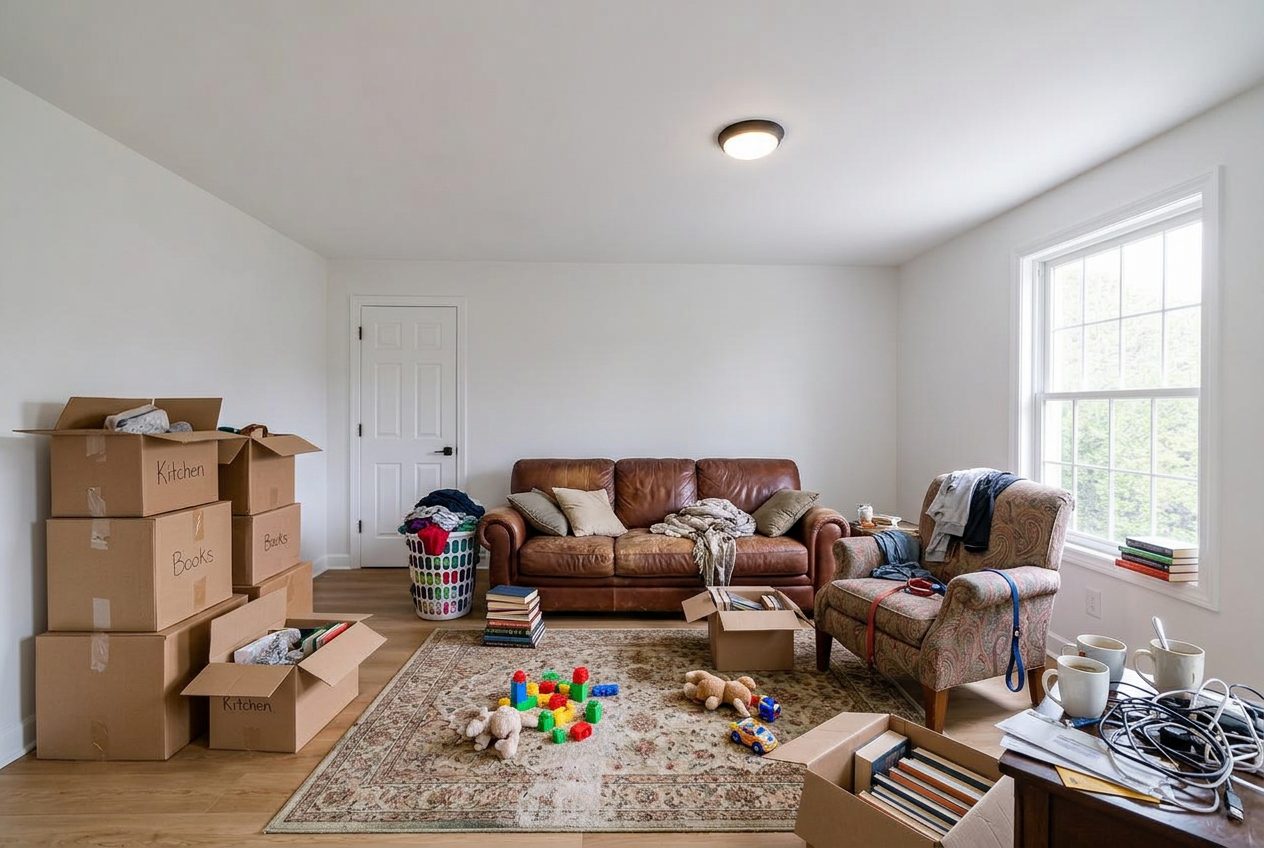
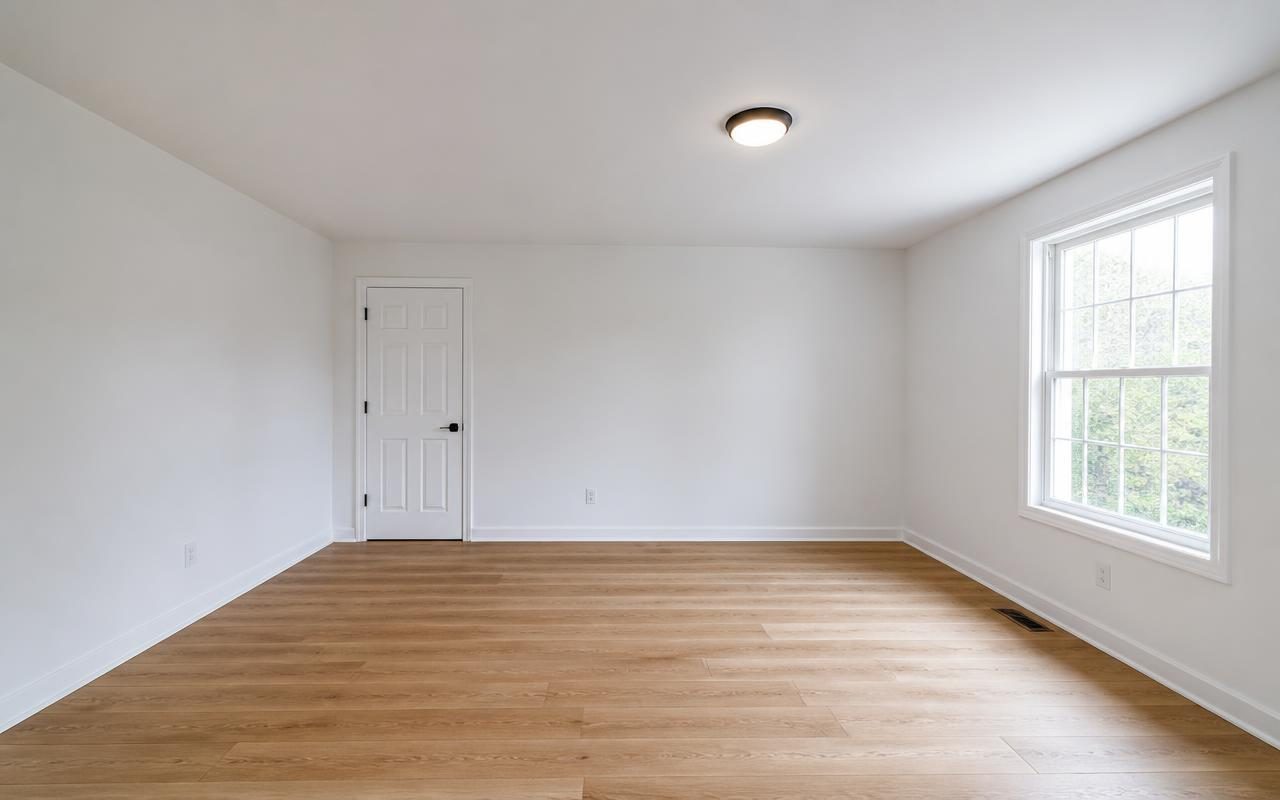
Vacant living room, as shot, no furniture or decor added.
Before Vacant living room, as shot, no furniture or decor added.
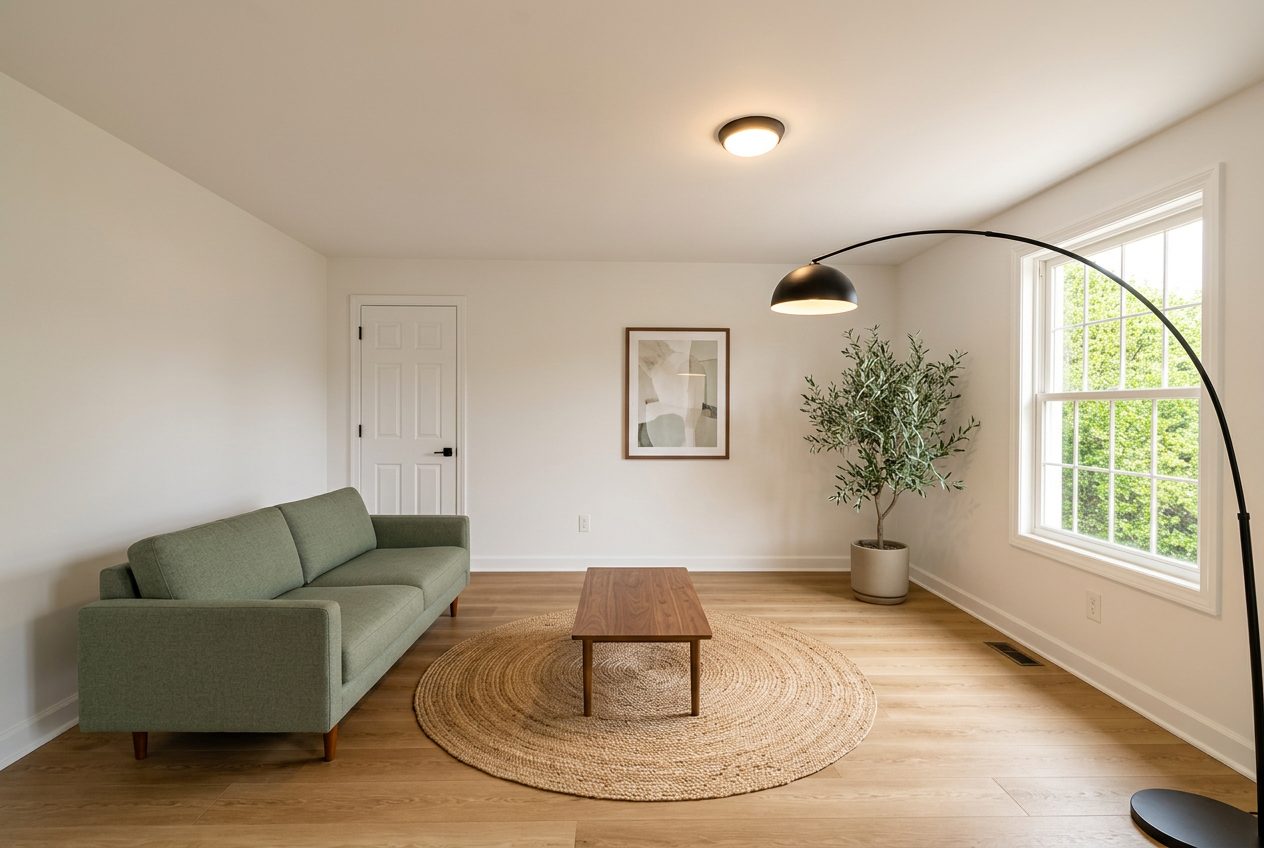
Same room, AI virtual staging added, structure and windows unchanged, disclosure caption applied on export.
After Same room, AI virtual staging added, structure and windows unchanged, disclosure caption applied on export.
How It Works

Three Steps, One Running Total.

01

Upload The Listing Photo

Use the actual photo from your shoot, vacant or lightly furnished. The room's walls, windows, floor and ceiling height stay locked to what the camera captured.

02

Choose A Style And Generate

Pick a furniture style that matches the buyer pool for that price point and generate the staged version. Nothing about the architecture moves.

03

Export With Disclosure Applied

Download the image with the disclosure caption already burned in or attached as metadata, ready for MLS upload without a manual edit.

Budget And Scope

What Virtual Staging Costs Per Room

Pricing scales with the number of rooms staged and the number of revision rounds, not with square footage the way construction does.

Estimated Planning Range$1,685 to $4,030
Pricing ConfidenceMedium
Line ItemTradeQtyPlanning Range
Living Room, Single AngleVirtual Staging1 photo$15 to $45
Primary Bedroom, Single AngleVirtual Staging1 photo$15 to $40
Kitchen, Single AngleVirtual Staging1 photo$20 to $50
Full Listing PackageVirtual Staging6 to 10 photos$120 to $350
Revision RoundVirtual StagingPer photo$5 to $15
Physical Staging ComparisonPhysical Staging1 month, 3 rooms$1,500 to $3,500
Decluttering Occupied RoomAI Editing1 photo$10 to $30

Planning range based on typical per-photo virtual staging pricing reported by listing photographers and staging vendors nationally, not a fixed quote.

Vacant Versus Occupied, Two Different Jobs

A vacant room is the clean case for virtual staging. There is nothing in the frame to remove first, so the software adds furniture into empty space and the result reads naturally in most listing photos. This is the scenario virtual staging tools were built for and it is where the output looks most convincing to a buyer scrolling listings on a phone.

An occupied room is a different job entirely. If the seller still lives there, you are asking the tool to remove existing furniture and clutter before adding new furniture, which is two operations stacked on top of each other. Shadows, reflections, and floor transitions under existing furniture do not always resolve cleanly, and the seams show up more on a large monitor than they do in a thumbnail.

If a room is occupied and cluttered, decluttering it as its own step and reviewing that output before staging on top of it produces a noticeably better final photo than trying to do both in one pass.

What Staging Can Legally Imply And What It Cannot

Virtual staging can show buyers how a room might be furnished. It cannot show anything that misrepresents the physical condition or the fixed features of the property. Adding a sofa and a rug to an empty living room is staging. Removing a visible crack in a wall, changing the flooring material, or showing a fireplace that does not exist is misrepresentation, and boards treat the two very differently.

The safe test most agents use is whether the change could be undone by moving furniture in or out. Furniture, art, rugs and small decor pass that test. Structural elements, finishes, and anything load bearing do not, and a tool with real structure preservation, sometimes called Reality Lock, keeps walls, windows and room dimensions untouched by design.

This matters beyond ethics. A buyer who feels misled by a staged photo after a walkthrough can and does file complaints with the listing board, and repeat violations put an agent's MLS access at risk, not just their reputation.

Cost Per Photo Versus Physical Staging

Physical staging for a three bedroom home typically runs $1,500 to $3,500 for the first month of rental furniture, plus delivery and pickup fees, and that clock keeps running every month the house sits on market. Virtual staging is priced per photo, generally $15 to $50 depending on room type and revisions, with no ongoing monthly cost regardless of how long the listing sits.

The tradeoff is that virtual staging only exists in the photo. A buyer who walks through the actual vacant house sees an empty room, which can create a gap between the online impression and the in-person showing. Agents in fast moving markets often accept that gap because most offers happen after online interest is already built. Agents in slower markets sometimes still budget for light physical staging in the entry and living room even while using virtual staging for the rest.

The Disclosure Caption Is Not Optional

Every major MLS system and most state real estate license laws require a visible label on any photo that has been virtually staged, typically the words 'virtually staged' printed on the image itself, not buried in the listing description. Some boards specify placement, font size, or exact wording, and a listing photo missing the required caption can be pulled from the MLS feed until it is corrected.

The practical fix is to treat the disclosure as part of the export step, not an afterthought added later in a photo editor. When the caption is applied automatically at export time, every staged photo leaves the workflow already compliant, and there is no batch of forty photos to go back and manually label before a Friday listing deadline.
Questions

Answers Before You Start.

Do I have to disclose AI virtual staging on MLS?

Yes. Nearly every MLS board and most state real estate commissions require a visible caption stating the photo was virtually staged. Check your specific board's exact wording requirement, since some specify the phrase and placement.

Can virtual staging make a small room look bigger than it is?

It should not, and a tool that preserves the real wall positions and camera perspective will not stretch the room. If a staged photo makes a room look larger than its actual dimensions, that crosses from staging into misrepresentation.

Is virtual staging cheaper than physical staging?

Per photo, yes, usually $15 to $50 versus $1,500 to $3,500 a month for physical furniture rental. The tradeoff is that virtual staging only affects the photo, not what a buyer sees at an in-person showing.

Can I virtually stage an occupied, cluttered room?

You can, but the result is usually weaker than staging a vacant room because the tool has to remove existing furniture before adding new furniture. Declutter the photo as a separate step first for a cleaner final image.

What happens if I skip the disclosure caption?

Boards can pull the listing photo from the feed, issue a compliance notice, or in repeated cases restrict MLS access. It is treated as a listing accuracy violation, not a minor formatting issue.

Pricing

Pick The Plan. Keep The Number.

Annual pricing shown. One credit balance across every tool, and we meter credits, not people.

Free

$0/mo

5 credits a day, typical budget range

Start Free

Starter

$7/mo

200 credits a month, clean HD

Choose Starter
Most Popular

Pro

$10/mo

2,000 credits a month, commercial license

Choose Pro

Studio

$13/mo

4,000 credits a month, unlimited seats

Choose Studio

Stage Your Next Listing Photo

Upload a vacant room and generate a staged, disclosure ready photo in one pass.

Start Staging